
Retention Strategy
Email Preference Center: How Ecommerce Brands Let Subscribers Choose What They Get
Quick answer: An email preference center is a page where subscribers update how often they hear from you, which topics they want, and whether they still want marketing email at all. In Klaviyo this is the preference page, one of the account consent pages. Add a manage-preferences link in the footer, ask only for choices you will honor, and build segments from the profile properties. Saving a preference does not automatically change how often Klaviyo emails someone.
By Emiel Dingemans, Founder of Magicianly
Updated
What Is an Email Preference Center?
An email preference center is the page a subscriber uses to manage their relationship with your list, without having to leave it. People come here to get fewer emails, to pick a product category, or to confirm they still want to hear from you. Unsubscribe still has to stay available. The preference page gives someone a way to get fewer emails, or different emails, and still stay on the list.
In Klaviyo, this page lives under your consent pages, next to the subscribe and unsubscribe pages. Klaviyo calls it the preferences page. Marketers often call the same thing an email preference center. The answers are stored on the individual profile, which makes them zero-party data: information the customer gave you on purpose.
Why Should Ecommerce Brands Have One?
Two reasons, and they work together.
First, some people who hit unsubscribe only wanted a slower cadence or fewer promo emails. Klaviyo's own unsubscribe guidance says you should include a manage-preferences link as well as an unsubscribe link, because a frequency or content choice can keep a subscriber who would otherwise leave. We see the same pattern when we diagnose a rising email unsubscribe rate.
Second, the page is a clean place to collect preferences you will actually use: email frequency, product interests, maybe a channel choice. That helps later campaigns, and it is easier to update than a one-time popup question. If you want this built and honored across an account, see our Klaviyo management work.
Keep a clear unsubscribe link in the email footer as well. Inbox providers also expect a one-click unsubscribe option in the message headers for bulk marketing mail.
What Should You Ask on an Email Preference Center?
Only ask for choices you can honor in the next month's sending plan.
| Ask this | Store it as | Use it by |
|---|---|---|
| How often should we email you? | A profile property such as Email frequency, with values like Weekly or Monthly | Segments you include or exclude when you schedule campaigns. Klaviyo does not apply the cadence for you. |
| What do you want to hear about? | Product or content interests | Campaign filters and welcome or browse content that matches the interest |
| Do you still want marketing email? | This is the unsubscribe path, which should stay obvious | A global opt-out, so they are not emailed from another list by accident |
Keep birthday, gender or detailed profile questions off the page unless a flow or campaign already uses them. A preference center that looks like an account form gets abandoned, and the subscriber goes back to unsubscribe.
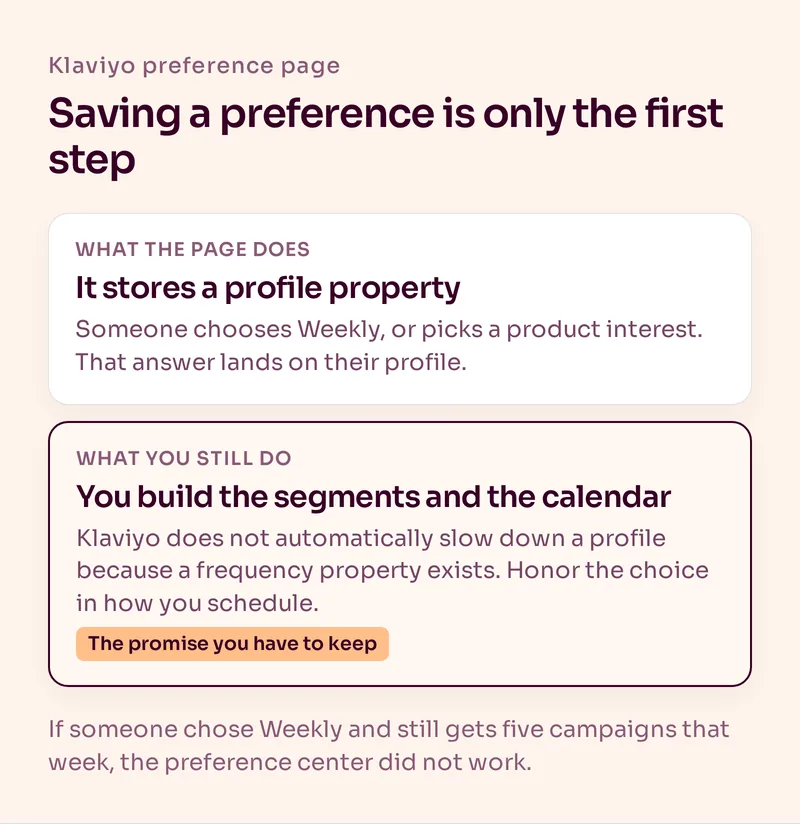
A frequency property is only a stored answer.
You still have to build the segments and schedule the campaigns to match.
If someone chose Weekly and still gets five campaigns that week, the preference center did not work.
How Do You Set Up a Preference Page in Klaviyo?
Use Klaviyo's account default consent pages unless a specific list truly needs its own version.
- In Klaviyo, go to Audience, then Growth tools.
- Under Customize subscribe and preference pages, click Customize.
- Select Account default pages, then edit the Preferences page.
- Add the questions as form blocks, such as a radio button for frequency. Create a clear profile property name and use the same values you will later use in segments.
- Publish the page.
Klaviyo uses the account default preference page for emails sent to segments, to more than one list, and for most flows. A list-specific preference page is used only when you send to that one list, and only if you have customized that list's consent pages. If you use list-specific pages, add the same frequency and interest questions there too, with the same property names and values.
To put the page in your emails, add the manage preferences tag in the footer:
| Tag | What it renders |
|---|---|
| {% manage_preferences %} | A "Manage Preferences" link |
| {% manage_preferences 'Update your email preferences' %} | The same link, with your own link text |
| {% manage_preferences_link %} | Only the URL, which you need for a button or an image link |
Those tags, and the default-versus-list-specific behavior, are documented in Klaviyo's guides to consent pages and message personalization.
How Do You Honor the Preferences After People Submit Them?
Build segments from the properties, then use those segments when you schedule campaigns. For frequency, Klaviyo's own frequency-segment guide is explicit: the property records a preference, and you are the one who has to send at that cadence. People who have not chosen a frequency should get a sensible default, usually the mid-range option, rather than your most aggressive calendar. If you want a starting point for that default, see how often ecommerce brands should send marketing emails.
Content interests work the same way. A "running" interest should change product selection in campaigns and relevant flows. If the answer never appears in a segment or filter, remove the question.
Offer the same link in every marketing email footer, next to unsubscribe. A one-off "update your preferences" campaign can help when you first launch the page. After that, the footer does the ongoing work.
What Are the Most Common Preference Center Mistakes?
Collecting preferences and sending the same calendar anyway. This is the mistake that makes the page feel like a dead form.
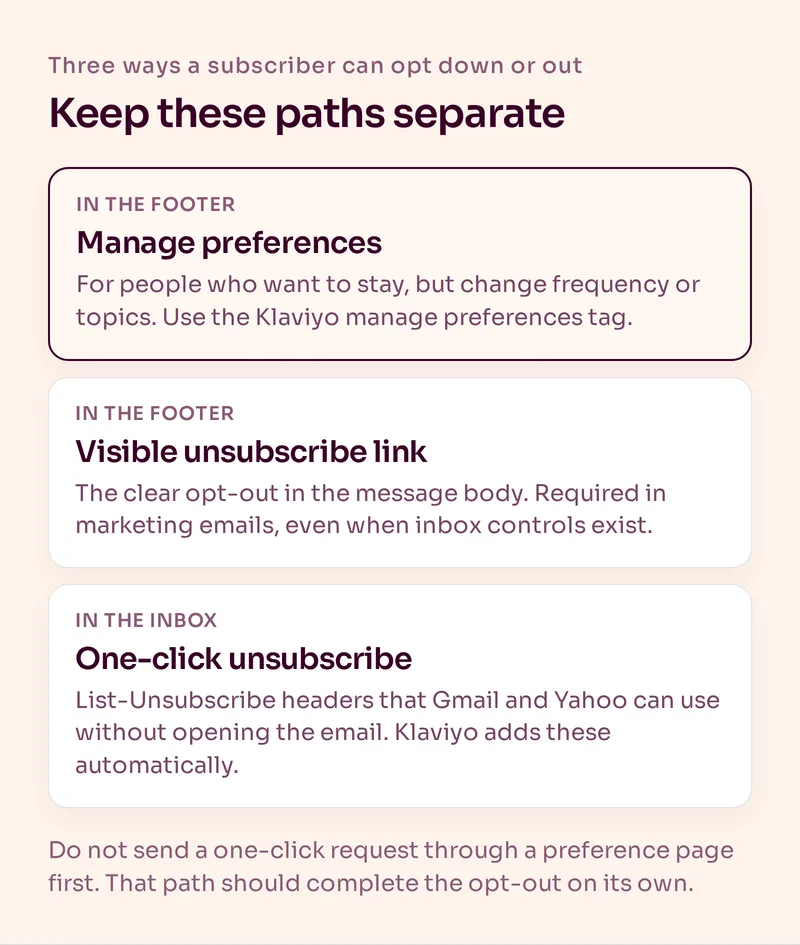
Making the preference page the only way out. Inbox providers and US law still expect a clear opt-out. One-click unsubscribe in Gmail and Yahoo is a separate header that Klaviyo already adds. The preference page sits beside that path.
Too many questions, or questions you will not use. Frequency and one interest field beat a long profile form.
Assuming a list-specific page covers every send. Most campaigns go to segments, and those use the account default pages.
So What Should Your Email Preference Center Do?
Let people choose a frequency and, if you will use it, a content interest. Put a manage-preferences link in the footer of every marketing email, keep unsubscribe easy to find, store the answers on the profile, and actually schedule to those segments. That is the whole system.
Frequently Asked Questions
What is an email preference center?
It is a page where subscribers update their email frequency, content interests or other preferences, without having to unsubscribe. In Klaviyo this is the preferences page, part of your consent pages.
Does a Klaviyo preference page automatically change how often you email someone?
No. The page stores a profile property, such as a chosen frequency. You still need to build segments from that property and schedule your campaigns to match.
What should I ask on a preference center?
Ask for choices you can honor: how often to email, and which topics or product categories someone wants. Leave off questions that will not change a send.
Where do I add the manage preferences link in Klaviyo?
In your email footer, use the {% manage_preferences %} tag, or {% manage_preferences_link %} if the link sits on a button or an image. Keep a separate unsubscribe tag next to it.
Should I still include an unsubscribe link if I have a preference center?
Yes. A preference center is for people who want to stay on the list on different terms. You still need a clear way to opt out of all marketing email, in the footer and through the one-click unsubscribe headers inbox providers expect.
What is the difference between account default and list-specific preference pages?
The account default page is used for emails to segments, to multiple lists, and for most flows. A list-specific page is used only when you send to that one list and you have customized its consent pages. If you use both, keep the questions and property values in sync.
Want Us to Build and Manage This for You?
Related Reading
Retention Strategy
What Is Zero-Party Data, and How Should Ecommerce Brands Use It?Zero-party data is information a customer gives you on purpose, like a product interest, a clothing size, a preferred email frequency, or why they bought.
Read NowEmail Campaigns
Email Footer: What to Include in an Ecommerce Email Footer (With Examples)Most email footers get set up once and forgotten. Here's what an ecommerce email footer needs by law, what else we add for clicks and trust, and four example layouts.
Read NowDeliverability
What Is a Normal Email Unsubscribe Rate for Ecommerce, and When Should You Worry?A single campaign spike is not a crisis by itself. Here is the formula, Klaviyo's published ranges, and how we diagnose unsubscribe patterns for ecommerce brands.
Read NowEmail Campaigns
How Often Should Ecommerce Brands Send Marketing Emails?Sending less is not automatically respectful, and sending more is not automatically better. Here is how we think about email campaign frequency for ecommerce.
Read NowDeliverability
Email Deliverability Checklist for Ecommerce Brands in 2026Deliverability is mostly the result of who you send to, how often and whether they want it. Here is the checklist we work through for ecommerce email programs.
Read Now